Payroll that runs itself — until you say go.
Pick a period, tap compute, and TUKO builds every employee's line from real attendance and the ruleset you verified — then waits for your review before anyone gets paid.
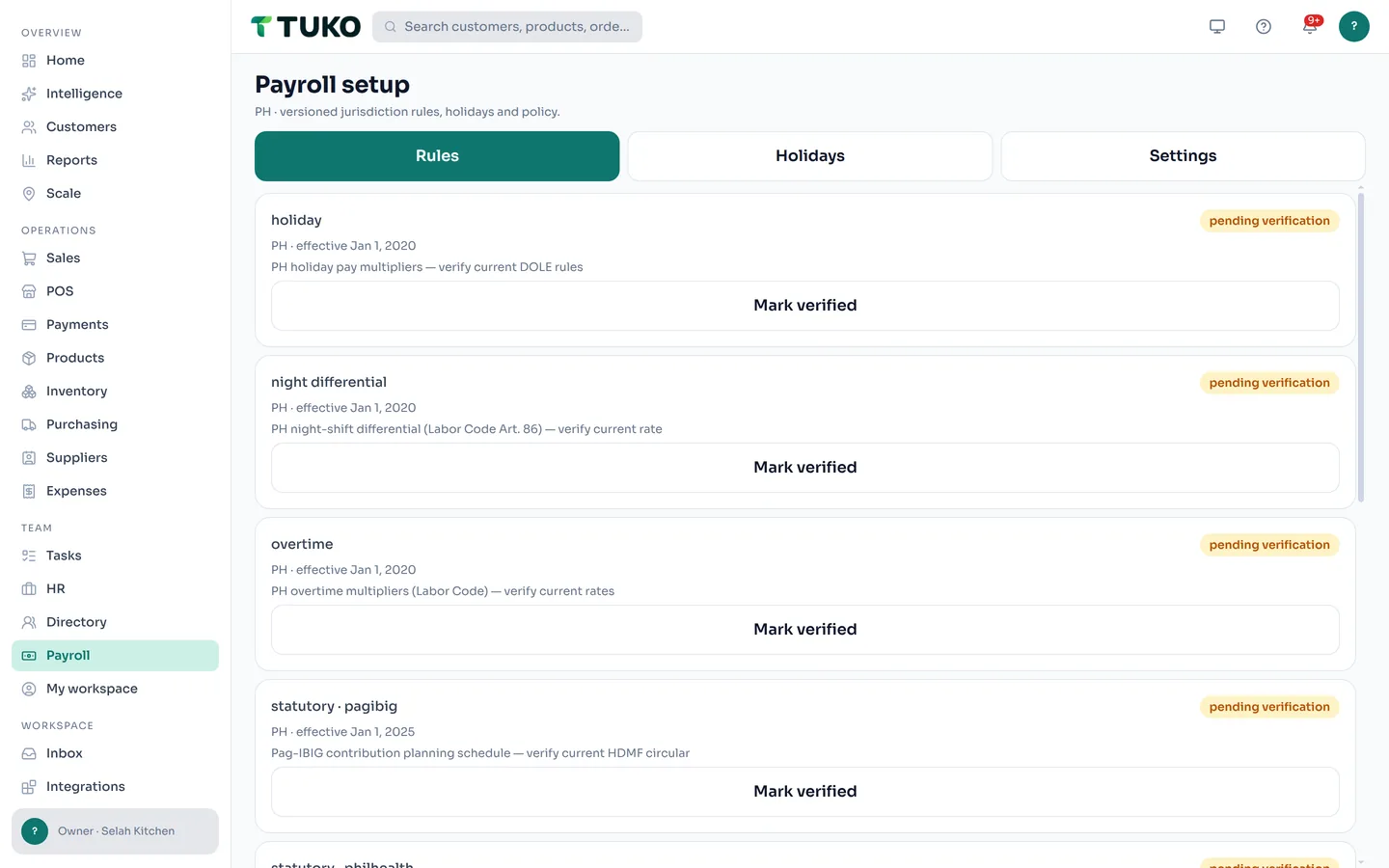


The real app — one tap builds each line, and the run sits at Computed until you review it.
From clock-in to payslip, in one system
The math runs itself. The decision to pay stays with you.
Runs grouped by period
Pick weekly, every 2 weeks, twice a month, or monthly — TUKO suggests the period and pay date. Overlapping runs are blocked, so a period can't be paid twice.
Every line shows its math
One line per employee: gross, adjustments, deductions, net — each with its breakdown. Flagged lines name the problem, like a missing rate, before you approve.
Attendance feeds payroll
Approved clock-ins, overtime, and leave flow straight from attendance into the run — no re-encoding, no double counting.
Rules you verify once
The statutory ruleset for your jurisdiction arrives pending verification. An admin marks each rule verified — and no run can be approved until they are.
Locked after approval
An approved run can't be edited — by anyone. Corrections land as audited adjustments in the next run, or as a reversal with a recorded reason.
Payslips & disbursements
Generate payslips to employee self-service, then mark each line disbursed as money goes out. The event log records who computed, approved, and paid.
What is a payroll ruleset?
A ruleset is the book of payroll rules TUKO uses for your jurisdiction — contribution tables, overtime and holiday multipliers, withholding brackets — each rule stamped with its effective date. It matters because payroll math is only as trustworthy as the rules behind it: when a contribution table changes, a new version arrives for your review instead of silently swapping under your numbers.
That is why the first run in a workspace can't be approved until the rules are verified. An admin opens Rules & holidays, reads each rule — what it covers and when it takes effect — and marks it verified. From then on, every line that cites that rule can be traced back to the version you confirmed. If an employee asks "how was this computed?", the answer is on record, not in someone's head.
For Philippine workspaces, the pack covers SSS, PhilHealth, Pag-IBIG, and BIR withholding — employee and employer shares — plus holiday, overtime, and night-differential multipliers, and 13th month accrual pro-rated for mid-year hires. See payroll for Philippine teams, or try the free 13th month calculator. One honest boundary: TUKO computes the amounts — filing and remitting to the agencies stays with you.
Payroll questions, answered
How does TUKO calculate payroll?
You pick a period and tap Compute. TUKO builds one line per employee: gross pay from their compensation rate and their approved attendance for the period — worked hours, overtime, and approved leave — then applies your deductions and the statutory rules from the verified ruleset to reach net pay. Every line shows its breakdown, so nothing is a black box.
Does TUKO file government contributions for me?
No. TUKO computes the statutory amounts for each employee and keeps them on record — for Philippine workspaces that means SSS, PhilHealth, Pag-IBIG, and BIR withholding, employee and employer shares. Filing and remitting to the agencies stays with you or your accountant; TUKO hands you payroll-ready figures, not a filing service.
What is a payroll ruleset?
The versioned set of payroll rules for your jurisdiction — contribution tables, overtime and holiday multipliers, withholding brackets — each rule stamped with its effective date. The set arrives marked pending verification; an admin reviews each rule and marks it verified once. A pay run cannot be approved until the rules are verified, so you always know exactly which version produced a number.
Can I see payroll from my phone?
Yes. Payroll lives in the TUKO app on web, iOS, and Android — runs, per-employee lines, and disbursements. Payroll itself is restricted to workspace owners and admins; employees see their own payslips in My Workspace on the same app.

Run payroll where the hours already live.
Create your workspace and compute your first pay run today.
Get started freeFree to start · No credit card required · Works on web, iOS, and Android