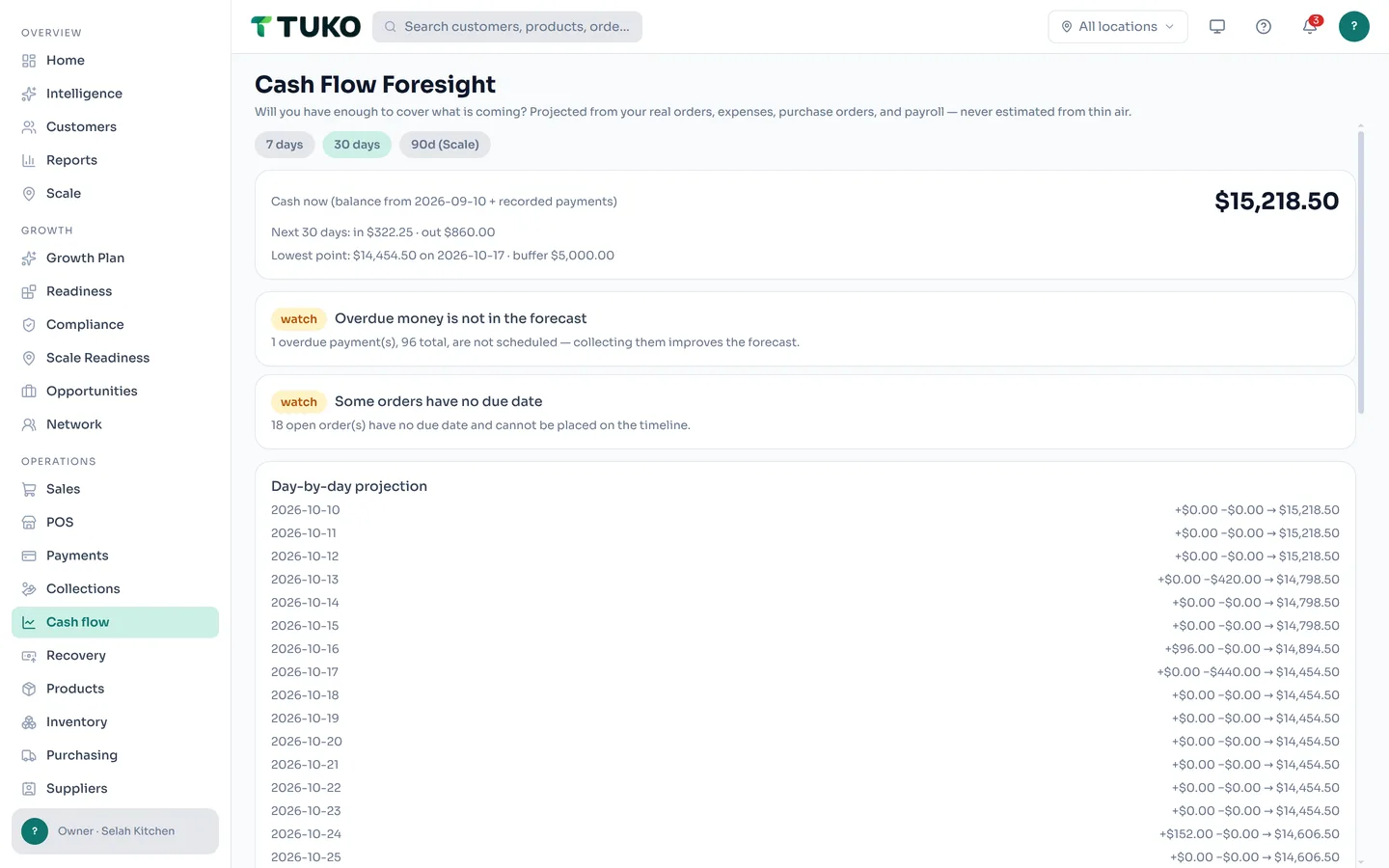
Will you have enough to cover what is coming?
A day-by-day cash projection built from the records you already keep — due invoices, approved expenses, committed purchase orders, payroll. With a warning before you run short, not after.


$4,562.50 today — $455.75 coming in, every date already known.
Project. Warn. Act.
Everything on the timeline traces back to a real record.
Project
Set your opening cash once. TUKO adds recorded payments and walks the next 7, 30, or 90 days: expected money in from due invoices, money out to expenses, purchase orders, and payroll.
Warn
Pick a buffer — the cash floor you never want to cross. The moment the projection dips below it, you see the exact day and the records causing it.
Act
Collect the overdue invoice lifting the dip. Review the largest upcoming outflow. Or test a what-if — delay a bill, take a partial payment — without touching a single record.
Honest math, no surprises.
The forecast only counts what your records already prove.
Money in
Open invoices by due date, minus what is already paid. Overdue balances are listed — never assumed to arrive on a specific day.
Money out
Approved expenses on their dates, committed purchase orders minus payments already made, and payroll runs not yet paid. A purchase order and its payments never double-count.
Reconciled
Opening balance + money in − money out = the closing balance on every day. The math is checked, deterministic, and explained line by line.
Test a scenario without touching your records
Push a big bill out a week. Assume a customer pays half now. See the projected balance move — then tap Reset and you are back to the real forecast. Scenarios are a thinking tool, not an edit.
Need a longer view or saved scenarios? The 90-day horizon and saved what-ifs are planned for TUKO Intelligence — the optional advanced layer, still under development.
It shows up where you already look
The same projection feeds your Business Pulse and Daily Brief — a cash-below-buffer warning surfaces on your Command Center before the day it happens. If your workspace has sales or payments but no opening balance, TUKO nudges you to set one instead of pretending.
Cash Flow Foresight questions, answered
Where does the forecast get its numbers?
Only from records already in your workspace — due dates on open orders, approved expenses, committed purchase orders, payroll runs, and recorded payments. Nothing is estimated into existence.
Why do I have to enter an opening balance?
It is the one number TUKO cannot derive from your records. Without it you get a clear setup state — never a made-up starting balance.
Do what-if scenarios change my data?
No. Scenarios are computed in memory: move a payment date, drop an expense, take a partial payment — the projection adjusts, and your real orders and bills stay exactly as they are.
What about invoices in other currencies?
They are listed separately and never mixed into your home-currency forecast without a conversion you provide.

See next month's cash today.
See the plans, or read the common questions first.
Free to start · No credit card required · Works on web, iOS, and Android